
A Typo Means No Results
One "dres" instead of "dress" is enough for the customer to see "no products found" - despite a full warehouse.
The default WooCommerce search compares letters, doesn't forgive typos and doesn't tell you what customers were looking for. The LivBerry plugin replaces it with a search engine that understands queries and turns every search into knowledge about your store.
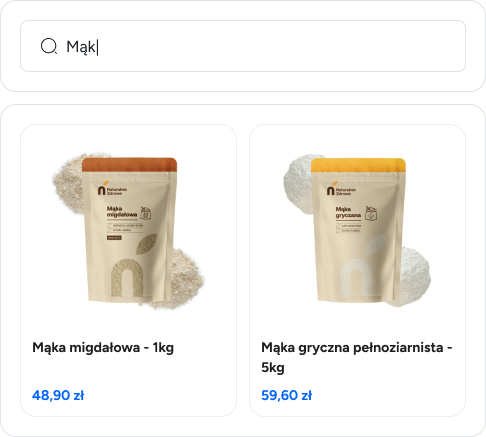
WooCommerce sells great, but its built-in search is simple text matching. A customer who doesn't hit the exact words from your catalog sees an empty results page - and leaves for the competition.
One "dres" instead of "dress" is enough for the customer to see "no products found" - despite a full warehouse.
The query "a gift for a runner" won't find running shoes. The search compares words instead of understanding what the customer is asking for.
Result order isn't driven by how well products match the query, so the product the customer wants can end up at the bottom of the list.
WooCommerce doesn't record what customers searched for. You don't know which products are missing from your offer or which phrases end with an empty page.
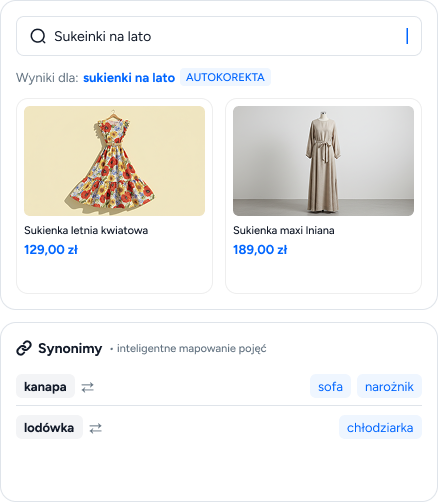
LivBerry combines classic word matching with understanding the meaning of the query. Customers can write their own way - with typos, colloquially, descriptively - and still see the right products.
"Sumer dresses" will find summer dresses - the search handles mistakes and word inflection
You choose how results are picked and change it with a single switch in the panel - no changes in your store
A customer types "couch" but your catalog says "sofa"? Synonym groups make both queries lead to the same products
The LivBerry plugin doesn't patch the built-in search - it replaces it with a complete solution that works independently of your store.
WooCommercebuilt-in search |
Recommended
LivBerrysearch plugin for WooCommerce Try for free |
|
| Live results while typing | ||
| Typo and word form tolerance | ||
| Understanding query meaning | ||
| Synonyms matched to customer language | ||
| Search by SKU and attributes | ||
| Price, category and attribute filters in the search window | ||
| Search reports and top phrases | ||
| Impact on store speed | Store slows down with a large catalog | None - doesn't load your store |
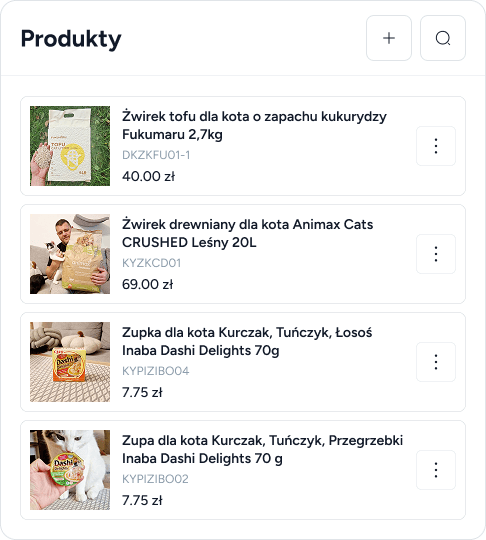
The dedicated LivBerry plugin for WooCommerce synchronizes your product catalog and replaces the search box in your store on its own.
Names, prices, images and attributes are pulled from your store and update themselves - no manual work
Leading color, welcome text and filters are set in the panel - the search looks like part of your site
Search runs on LivBerry infrastructure, so even a large catalog and heavy traffic won't slow down your site
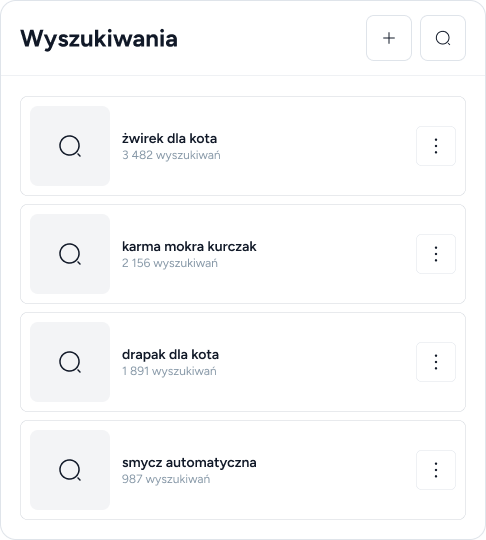
WooCommerce doesn't record searches - LivBerry turns them into reports. Instead of guessing, you see phrases, products and trends by week, month and quarter.
A ready list of words customers use to describe your products - material for names, descriptions and ad campaigns
You see which products from search results are most often displayed and added to the cart
Phrases that returned nothing suggest which products or synonyms are missing
More customer service tools for your store are waiting in the same panel and subscription.

Live chat for your store with an optional chatbot that knows your products and can recommend them right in the conversation.
See feature details
Don't want to use the plugin? You can also connect products via API or an XML file and use the search on any platform.
See integrationsYes - after installation, the search box in your store is handled by LivBerry. You can return to the default search at any time by simply disabling the plugin.
No. You install the plugin like any other in WordPress, connect it to your LivBerry account and you're done. Colors, filters and search behavior are set in the panel.
No - queries are handled by LivBerry infrastructure, not your store's server. The search stays fast regardless of catalog size and site traffic.
The search works right after catalog synchronization, and the first reports appear on the dashboard along with the first customer queries.